
The gaming laptop market has exploded, moving far past the bulky, brick-like machines of a decade ago. Today, manufacturers are packing desktop-grade performance into sleek, portable chassis, offering genuine high-fidelity gaming experiences on the go. However, this proliferation of options can make purchasing a machine a bewildering process. Comparing gaming laptops requires looking beyond simple specifications to analyze trade-offs in thermal management, display technology, portability, and price.
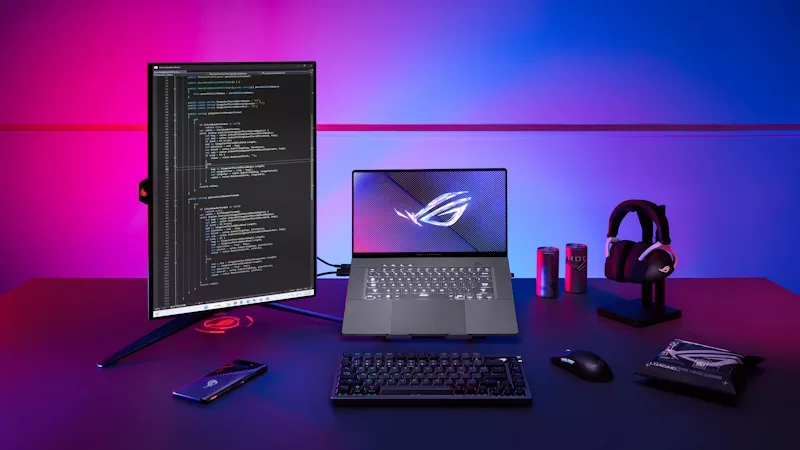
A gaming laptop is a machine of compromise, balancing the need for massive power (which generates intense heat) against the desire for slim, light portability. Understanding this core tension is key to selecting the ideal machine that aligns with your budget and play style. This article breaks down the essential comparison points, helping you navigate the landscape and find the ultimate portable gaming rig.
I. The Core Performance Metrics: Power vs. Thermals
The heart of any gaming laptop comparison lies in the relationship between the processor and the cooling system.
1. GPU and TGP (Total Graphics Power)
The Graphics Processing Unit (GPU) is still the single most important factor for gaming performance. However, in laptops, you must look at the TGP (Total Graphics Power), measured in Watts ($\text{W}$). A seemingly identical GPU model (e.g., NVIDIA GeForce RTX 4070) can have drastically different performance profiles depending on whether the laptop manufacturer powers it at $140\text{W}$ or $80\text{W}$.
- The Comparison Rule: Always compare the GPU model and the TGP rating. A high-wattage mid-tier GPU can often outperform a low-wattage higher-tier GPU in a less aggressive chassis.
2. CPU and Thermal Throttling
Modern CPUs (like those from Intel’s Core i7/i9 or AMD’s Ryzen 7/9 lines) generate significant heat under load. Laptops must manage this heat efficiently to maintain performance.
- The Test: Look at professional reviews that specifically test thermal throttling. A laptop with excellent specs on paper might perform poorly in real-world use if its cooling system (fans, heat pipes, and thermal paste) cannot effectively dissipate the heat, forcing the CPU and GPU to slow down (throttle).
II. The Display Dilemma: Refresh Rate vs. Resolution
The display is your primary interface with the game, and its specifications should align with the performance capability of your GPU.
1. Refresh Rate (The Competitive Edge)
Measured in Hertz ($\text{Hz}$), the refresh rate dictates how many times per second the screen can update the image.
- High-Rate Focus: For competitive esports, FPS games, and action titles, a $144\text{Hz}$, $240\text{Hz}$, or even $360\text{Hz}$ display is crucial. It minimizes motion blur and allows players to react faster. These displays are usually paired with $1080\text{p}$ or $1440\text{p}$ resolutions.
2. Resolution (The Visual Fidelity)
For single-player, graphically intense games where cinematic visuals are prioritized, a $4\text{K}$ or high-DPI $1440\text{p}$ resolution is desired.
- The Trade-off: Running games at $4\text{K}$ puts massive stress on the GPU, often forcing frame rates down to $60\text{fps}$ or less. Always match your screen resolution to what your GPU can realistically handle. A $1440\text{p}$ screen paired with a mid-to-high-end GPU is often the best balance of visual detail and high frame rate.
III. Usability and Portability: The Real-World Test
A laptop must function as a computer outside of gaming. Usability factors heavily influence the overall value.
1. Portability and Chassis Design
Gaming laptops fall into three categories: thick, powerful desktop replacements; slim, performance-focused hybrids; and ultra-portable, low-power machines.
- Weight and Size: A powerful machine often weighs $5\text{lbs}$ or more and comes with a bulky power brick. A sleeker machine might be easier to carry but will run hotter and louder due to less robust cooling. Determine whether portability or peak power is your priority.
2. Battery Life
Battery life on gaming laptops is universally poor when gaming (usually less than 90 minutes). However, good laptops are designed to switch to integrated graphics for everyday tasks like browsing or work, often extending battery life to 6-8 hours. Compare real-world battery life for non-gaming tasks.
3. Keyboard and Trackpad
The quality of the keyboard (switch type, key travel, anti-ghosting) and the precision of the trackpad are essential for non-gaming productivity. Check reviews for excessive flex or a cramped layout.
Conclusion: The Calculated Compromise
Comparing gaming laptops is an exercise in calculated compromise. There is no single “best” option; there is only the best fit for your specific needs. The discerning buyer must prioritize: focusing on the GPU’s TGP over its name, matching the display’s refresh rate to the GPU’s power, and understanding the thermal limitations of the chassis. By analyzing these critical trade-offs in performance, display, and portability, you can confidently select a machine that delivers the ultimate portable gaming experience without the pain of buyers’ remorse.
Would you like a comparison of the specific advantages offered by gaming laptops from two leading brands, such as ASUS ROG and Alienware?