
The tablet computer, often viewed as the middle child between the smartphone and the laptop, is in fact a distinct and essential piece of technology that has redefined personal computing. It is a device built on the philosophy of effortless interaction, offering a blend of consumption ease, creative potential, and mobile functionality that neither its smaller nor its larger counterpart can fully match. Simply put, a tablet is a portable personal computer, typically smaller than a notebook but larger than a smartphone, operated primarily via a multi-touch screen, eliminating the need for a physical keyboard and mouse.
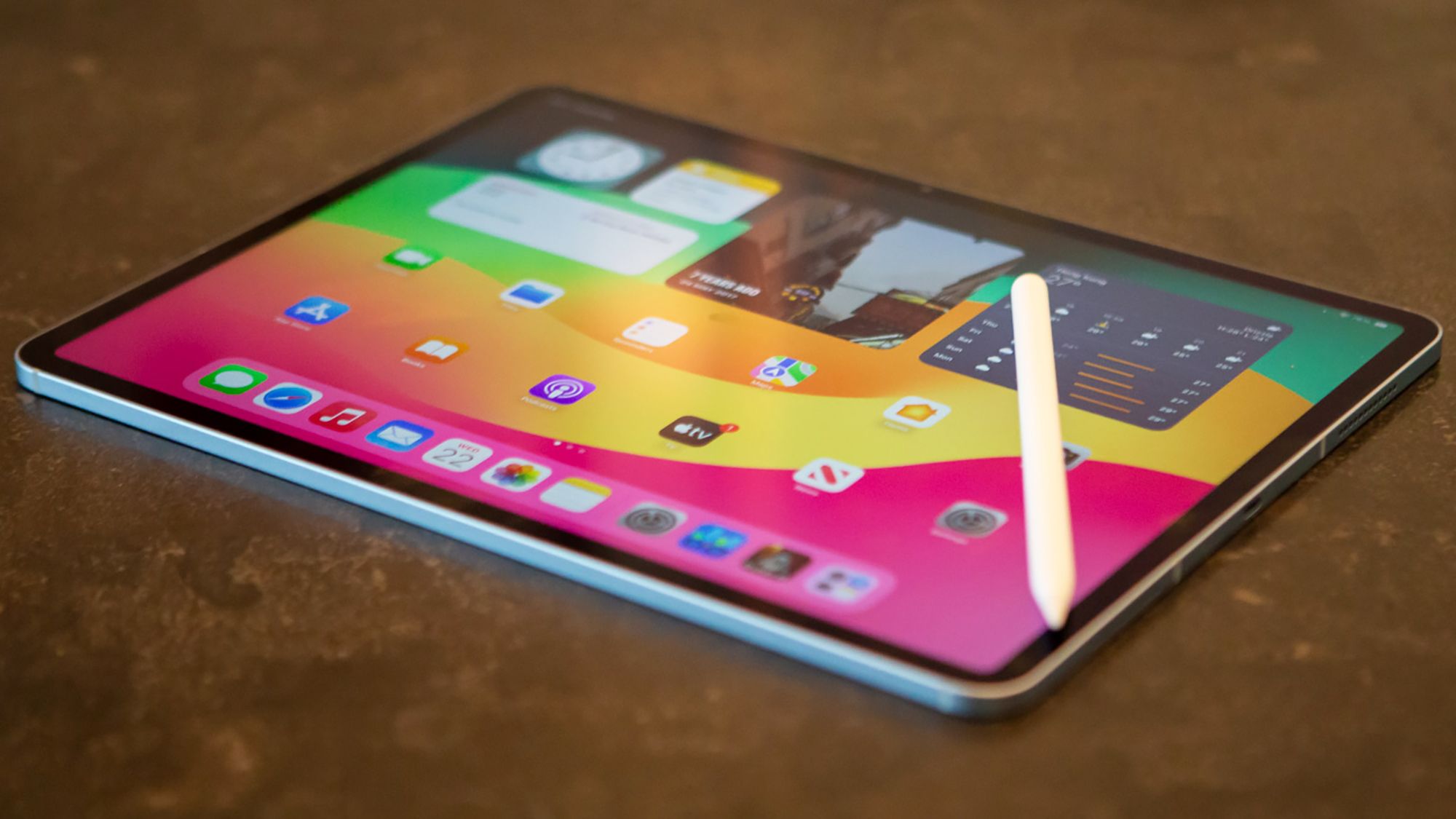
Understanding what a tablet is requires looking beyond its form factor to appreciate its unique role in the digital ecosystem. It is a device optimized for immediate use, intuitive interaction, and seamless transition between work and leisure, making it the perfect “third device” for millions worldwide. This article delves into the core characteristics, functional benefits, and diverse landscape of the modern tablet computer.
I. The Core Identity: Defining the Tablet Form Factor
The fundamental identity of the tablet is rooted in its design—a smooth, flat slate that prioritizes the display and direct physical interaction.
1. Touch-First Interface
Unlike laptops that use a mouse and keyboard, the tablet relies almost entirely on the touch-based operating system (OS). This allows for a more direct, intuitive interaction where users tap, swipe, and pinch content directly on the screen. This touch-first approach is ideal for quick tasks, reading, browsing, and casual gaming.
2. Operating Systems and Ecosystems
The tablet market is dominated by a few key operating systems, each defining a specific user experience:
- iOS/iPadOS (Apple): Known for its fluid performance, premium feel, and access to a highly optimized app ecosystem. It excels in creative tasks like drawing and video editing.
- Android (Google/Various Manufacturers): Offers greater customization, wider hardware variety (including budget options), and often more open file management.
- Windows (Microsoft/Various Manufacturers): Blurs the line between tablet and laptop, running the full desktop OS and prioritizing productivity and multi-tasking, often featuring detachable keyboards.
3. Portability and Battery Life
Tablets are designed for mobility. Their slim profile, light weight, and fanless design make them comfortable to hold for extended periods. Critically, their energy-efficient components typically allow for all-day battery life, a significant advantage over many traditional laptops.
II. Functional Benefits: Bridging the Gap
The tablet fills a specific void between the smartphone and the laptop, offering distinct benefits that make it an essential tool for both consumption and creation.
1. The Consumption Champion
For media consumption, the tablet is unmatched. Its larger screen (typically 8 to 12 inches) provides a superior viewing experience for movies and videos compared to a phone, without the bulk and heat of a laptop. Its form factor is perfect for reading eBooks, digital comics, and magazines, delivering a comfortable, paper-like experience.
2. Creative Canvas and Input
The integration of active stylus technology (such as the Apple Pencil or Samsung S Pen) transforms the tablet into a powerful creative tool.
- Digital Art: Artists can draw, paint, and sketch directly on the screen with precision, mimicking traditional mediums.
- Note-Taking: Students and professionals use the stylus for natural handwriting, annotation, and diagramming, merging the speed of digital capture with the cognitive benefits of physically writing.
3. The Multi-Purpose Tool
With the addition of lightweight, detachable keyboards and trackpads, modern tablets often function as 2-in-1 devices. They can switch instantly from a media consumption device (the tablet slate) to a light-duty productivity machine (the laptop configuration), offering maximum flexibility for travel and commuting.
III. The Diverse Tablet Landscape: Choosing the Right Slate
The market offers a wide variety of tablets, each catering to a different budget and primary need.
1. Performance vs. Price
High-end tablets focus on processing power (for demanding apps and gaming), premium display technology (for color accuracy), and sophisticated stylus integration. Budget tablets, while less powerful, excel as dedicated media consumption devices for streaming video and basic browsing.
2. Specialized Use Cases
- Gaming Tablets: Feature higher refresh rate displays and advanced cooling systems for sustained gaming performance.
- Rugged Tablets: Designed for field work (construction, logistics), featuring reinforced casings, water resistance, and enhanced durability.
- E-Ink Tablets: Though technically not traditional computers, these offer the ultimate paper-like reading and writing experience with weeks of battery life, focusing solely on reading and note-taking.
Conclusion: Effortless Computing Defined
The tablet computer is more than just an oversized phone; it is a category defined by its commitment to intuitive, touch-based interaction and unparalleled portability. It serves as the ideal bridge device, offering the ease of consumption and mobility of a smartphone, coupled with the larger screen real estate and creative potential needed for real-world tasks. By providing immediate access, fluid performance, and versatile functionality, the tablet has solidified its place as a necessary and transformative tool in the modern digital toolkit.
Would you like a comparison of the key features that distinguish the Apple iPad from the Samsung Galaxy Tab line of Android tablets?